
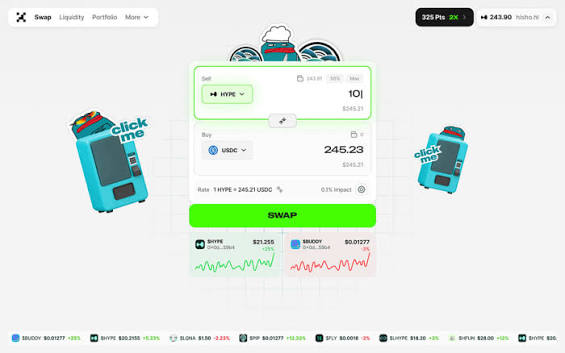
If you’re searching for the “ProjectX login page” expecting an email-and-password box, here is the headline: it doesn’t exist, and that’s by design. ProjectX is a non-custodial DEX. You don’t register an account — you connect a wallet you already control. This guide explains what that actually means and how to do it safely.
Why a DEX has no “sign up” button
On a centralized exchange you create an account, hand over ID for KYC, and trust the company to hold your coins. A DEX flips that completely. There is no company database of users, no password reset, no email verification. Instead, your crypto wallet acts as your identity. When you “log in”, you’re really just granting the app permission to read your public address and propose transactions you then approve.
Your wallet is your account
The wallet address is your username. The private key (protected by your seed phrase) is your password — except no one can reset it. This is what people mean by “be your own bank”: total control, total responsibility.
Choosing a wallet
ProjectX works with standard EVM wallets. The right pick depends on how you use crypto:
| Wallet | Best for | Notes |
|---|---|---|
| MetaMask | Desktop & browser DeFi | The most widely supported. Browser extension + mobile app with a built-in dApp browser. |
| Rabby | Active DeFi users | Pre-transaction risk checks and clear simulations — excellent for catching bad approvals. |
| Hardware wallet (Ledger/Trezor) | Larger balances | Keys never leave the device. Pair it with MetaMask/Rabby for the safest setup. |
Whichever you choose, the wallet generates a seed phrase — usually 12 or 24 words. That phrase is your funds. Anyone with it controls your money; lose it with no backup and your money is gone.
How to connect ProjectX, step by step
- 1
Install and fund a wallet
Set up MetaMask or Rabby, write your seed phrase on paper (never a screenshot), and add the HyperEVM network plus a little gas token.
- 2
Open the official app
Go to your bookmark of prjxn.com. Confirm the domain letter-by-letter — phishing clones differ by a single character.
- 3
Click “Connect”
Choose your wallet from the list. A pop-up asks you to approve the connection. This step is read-only; it cannot move funds.
- 4
Sign the (gas-free) message if asked
Some dApps ask you to sign a plain message to prove you own the address. This costs nothing and authorises nothing on-chain — but still read what you’re signing.
- 5
You’re “logged in”
Your address and balances now appear in the header. To “log out”, simply disconnect in the app or in your wallet’s connected-sites list.
The one rule that saves people: ProjectX — or any real dApp — will never ask you to enter your seed phrase on a website to “connect” or “verify” your wallet. A connect flow only ever happens inside your wallet’s pop-up. If a web page shows a box asking for your 12–24 words, it is a scam. Close the tab.
Backup & recovery: the part everyone skips
Because there is no support team to reset anything, your backup is your safety net. Get this right once and you can recover from a lost or broken device forever.
- Write your seed phrase on paper (or stamp it into metal) and store it somewhere fireproof and private. Never store it in cloud notes, photos, or email.
- Consider splitting copies across two secure locations so a single fire or theft can’t wipe you out.
- To recover on a new device: install the same wallet, choose “import / restore”, and enter your seed phrase. Your address and balances reappear.
- For meaningful sums, move to a hardware wallet so the keys never touch an internet-connected device.
Staying secure after you connect
Bookmark the real site
Never reach a DeFi app through ads or DMs. One bookmark eliminates the most common attack.
Review approvals
Periodically check and revoke token approvals you no longer need using a revoke tool.
Cold storage for savings
Keep long-term holdings on a hardware wallet; use a small “hot” wallet for daily DeFi.
Read every signature
A wallet like Rabby simulates transactions. If a signature wants more than the trade you intended, reject it.